Affiliate disclosure. Some links in this post are affiliate links, including our link to Usercentrics / Cookiebot. If you sign up through them we may earn a small commission at no extra cost to you. We only recommend tools we would use ourselves or set up for paying clients — every recommendation here reflects what we genuinely think helps a Western Sydney business.
If you’ve spent any time browsing websites lately, you’ve seen them — those pop-up banners that appear the moment you land on a page, asking whether you’ll accept cookies. You’ve probably clicked “Accept All” dozens of times without thinking twice.
But here’s the thing: if your own business website has Google Analytics installed, or if you run Google Ads, you’re on the other side of that equation. Your website is collecting information about your visitors — and most Australian small business websites don’t have a proper system in place to handle that.
This guide is for Western Sydney small business owners who want to understand what’s going on, what’s required, and how to sort it out without needing to become a tech expert.
What Are Cookies, Really?
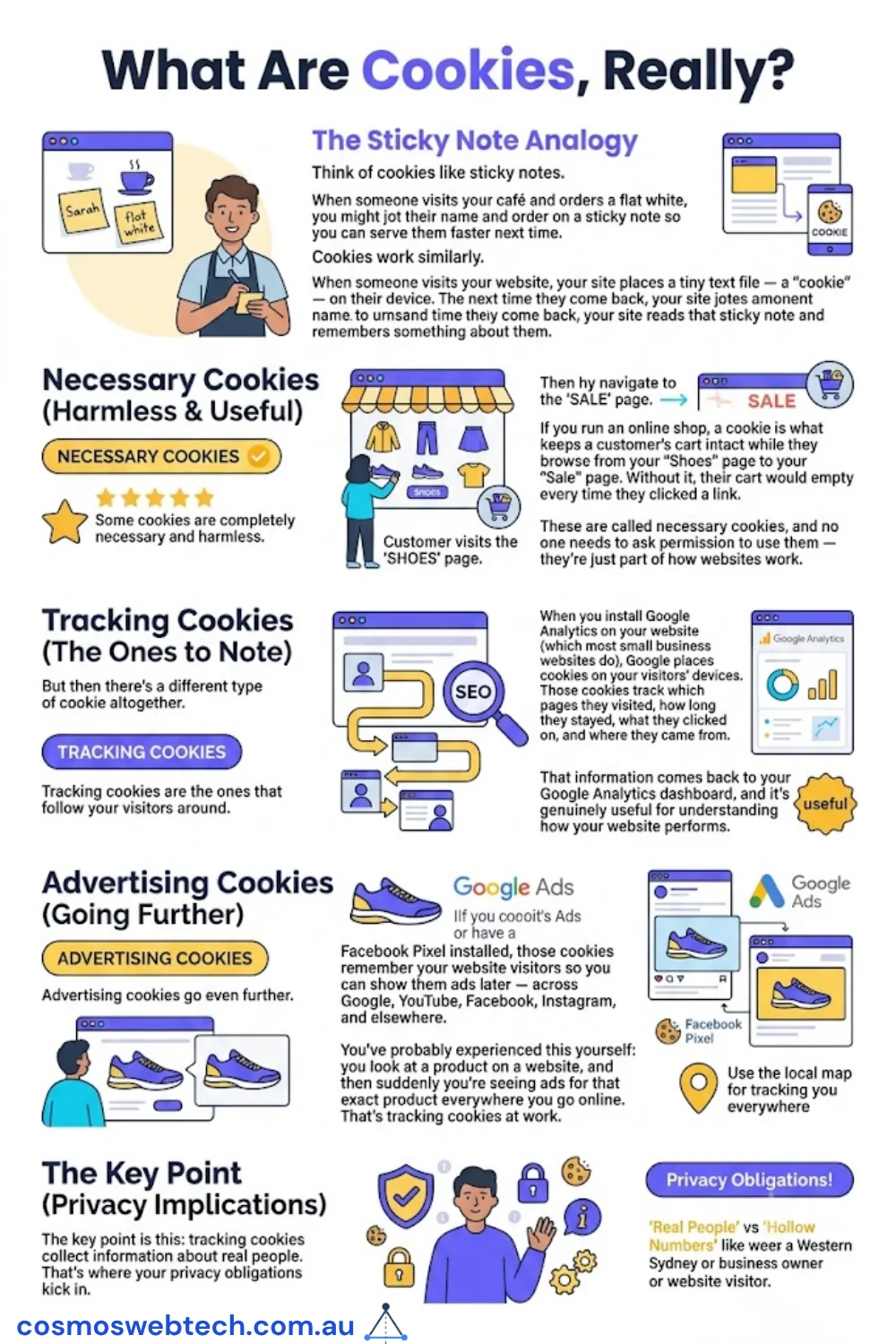
Think of cookies like sticky notes.
When someone visits your café and orders a flat white, you might jot their name and order on a sticky note so you can serve them faster next time. Cookies work similarly. When someone visits your website, your site places a tiny text file — a “cookie” — on their device. The next time they come back, your site reads that sticky note and remembers something about them.
Some cookies are completely necessary and harmless. If you run an online shop, a cookie is what keeps a customer’s cart intact while they browse from your “Shoes” page to your “Sale” page. Without it, their cart would empty every time they clicked a link. These are called necessary cookies, and no one needs to ask permission to use them — they’re just part of how websites work.
But then there’s a different type of cookie altogether.
Tracking cookies are the ones that follow your visitors around. When you install Google Analytics on your website (which most small business websites do), Google places cookies on your visitors’ devices. Those cookies track which pages they visited, how long they stayed, what they clicked on, and where they came from. That information comes back to your Google Analytics dashboard, and it’s genuinely useful for understanding how your website performs.
Advertising cookies go even further. If you run Google Ads or have a Facebook Pixel installed, those cookies remember your website visitors so you can show them ads later — across Google, YouTube, Facebook, Instagram, and elsewhere. You’ve probably experienced this yourself: you look at a product on a website, and then suddenly you’re seeing ads for that exact product everywhere you go online. That’s tracking cookies at work.
The key point is this: tracking cookies collect information about real people. That’s where your privacy obligations kick in.
Does Your Australian Small Business Website Need a Cookie Banner?
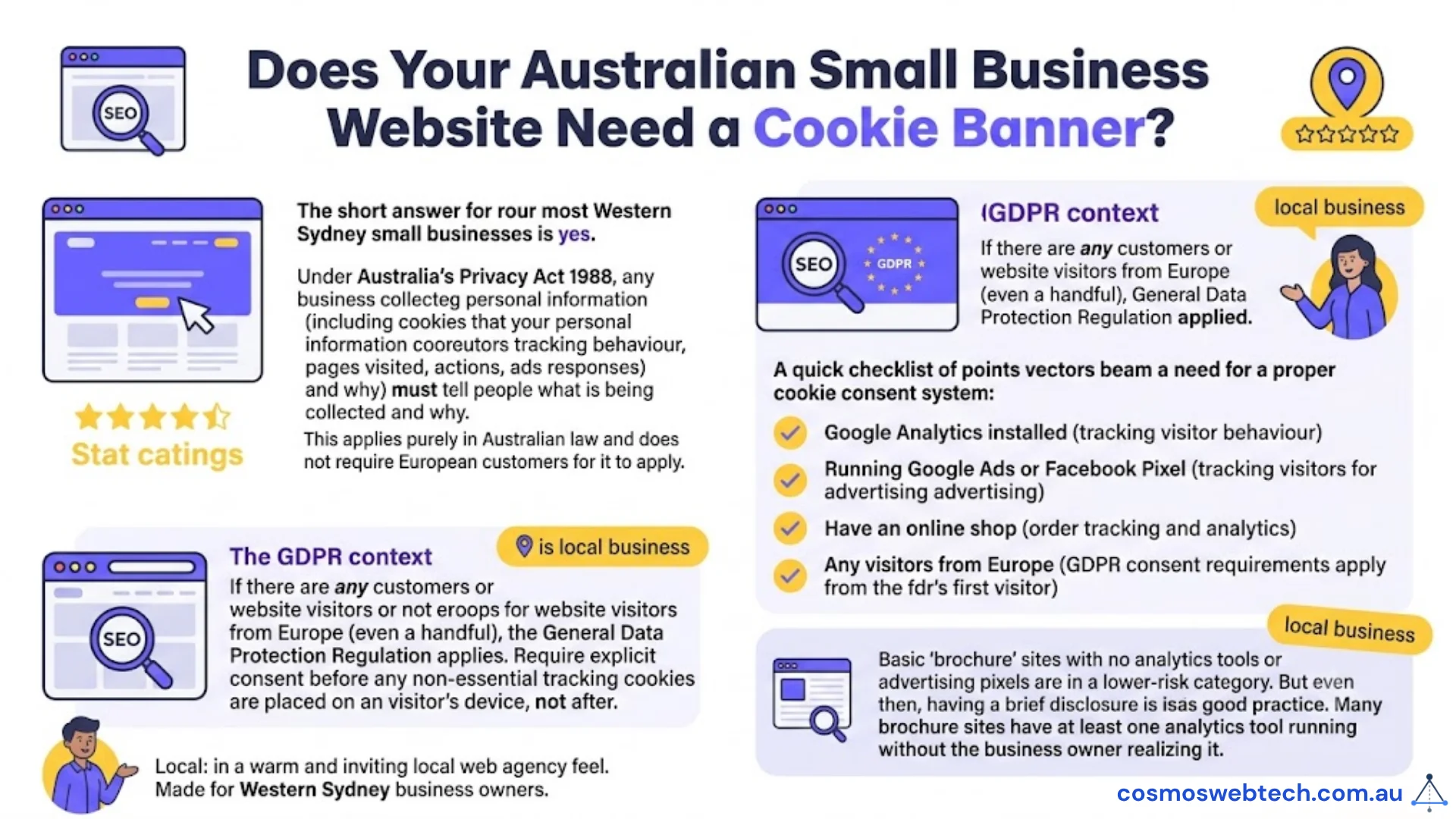
The short answer for most Western Sydney small businesses is yes — and here’s why.
Under Australia’s Privacy Act 1988, any business that collects personal information about people must tell them what information is being collected and why. Cookies that track visitor behaviour — which pages they visit, what they do on your site, and what ads they respond to — can absolutely count as collecting personal information.
You don’t need to have European customers for this to apply. Australian law already requires you to be transparent about what you’re collecting.
However, if you have any customers or website visitors from Europe (even a handful), the General Data Protection Regulation — GDPR — applies to you as well. Under GDPR, you must obtain explicit consent before any non-essential tracking cookies are placed on a visitor’s device. Not after the page loads. Not when they scroll down. Before.
Here’s a quick checklist. You most likely need a proper cookie consent system if:
- You have Google Analytics installed — you’re tracking visitor behaviour on your site
- You run Google Ads or have a Facebook Pixel — you’re tracking visitors for advertising purposes
- You have an online shop — order tracking and analytics are almost certainly running
- Any of your visitors are from Europe — GDPR consent requirements apply from the first European visitor
If your website is simply a basic “brochure” site with no analytics tools and no advertising pixels, you may be in a lower-risk category. But even then, having a brief disclosure is good practice — and many brochure sites have at least one analytics tool running without the business owner realising it.
What a “Proper” Cookie Banner Looks Like (And What Most Websites Have)
Here’s where things get a little uncomfortable.
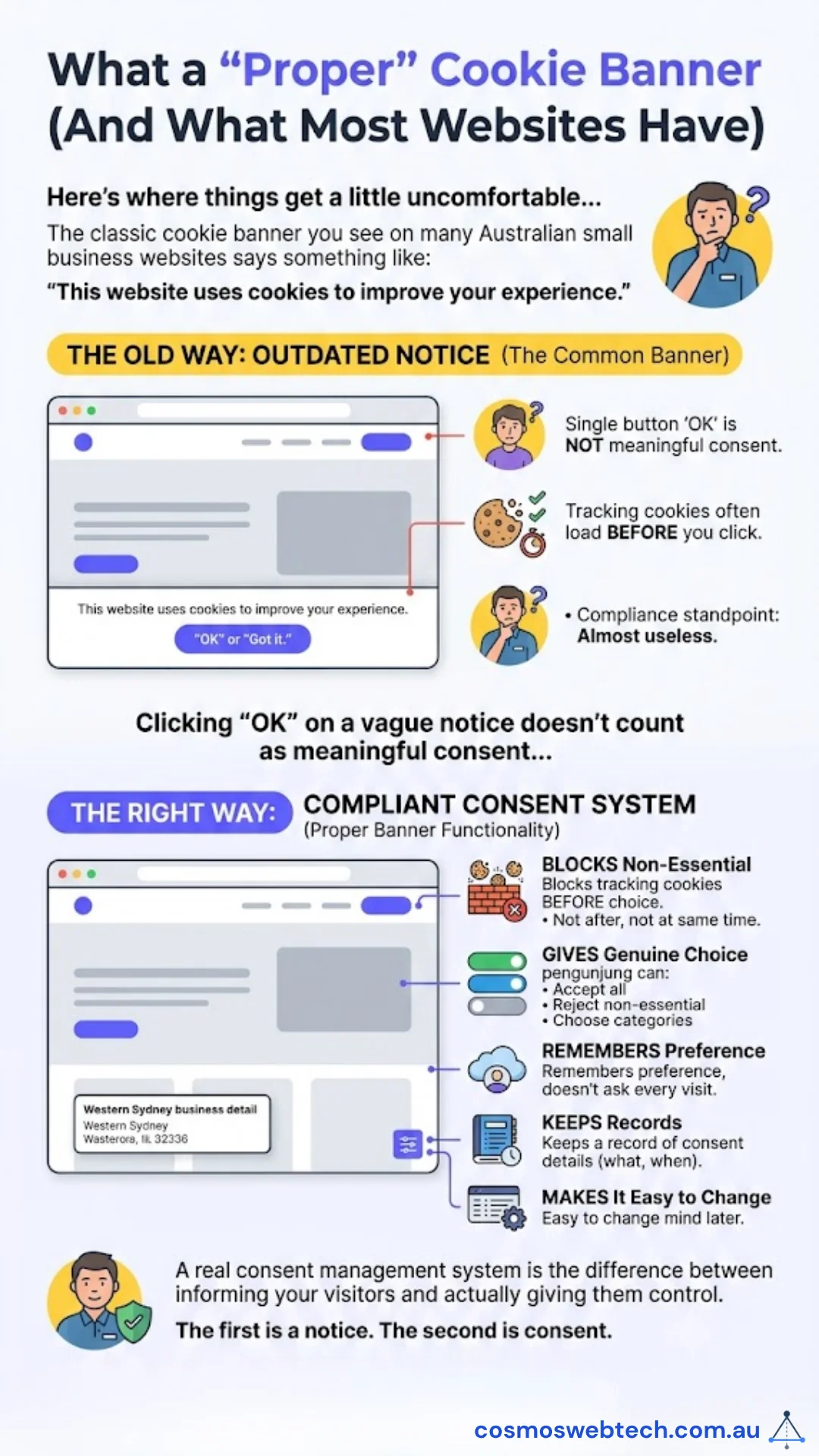
The classic cookie banner you see on many Australian small business websites says something like: “This website uses cookies to improve your experience.” There’s a single button that says “OK” or “Got it.” You click it, and you move on.
The problem? That type of banner is almost useless from a compliance standpoint. Clicking “OK” on a vague notice doesn’t count as meaningful consent — especially if the tracking cookies were already loaded the moment the page opened. You weren’t really asked anything; you were just told something.
A proper cookie consent system works differently. Here’s what it actually does:
- Blocks tracking cookies from loading until the visitor makes a choice — not after, not at the same time, but before
- Gives visitors a genuine choice — they can accept all cookies, reject non-essential ones, or choose which categories they’re comfortable with
- Remembers their preference so they’re not asked again on every visit
- Keeps a record of what was consented to and when
- Makes it easy to change their mind later
A real consent management system is the difference between informing your visitors and actually giving them control. The first is a notice. The second is consent.
What Usercentrics Does
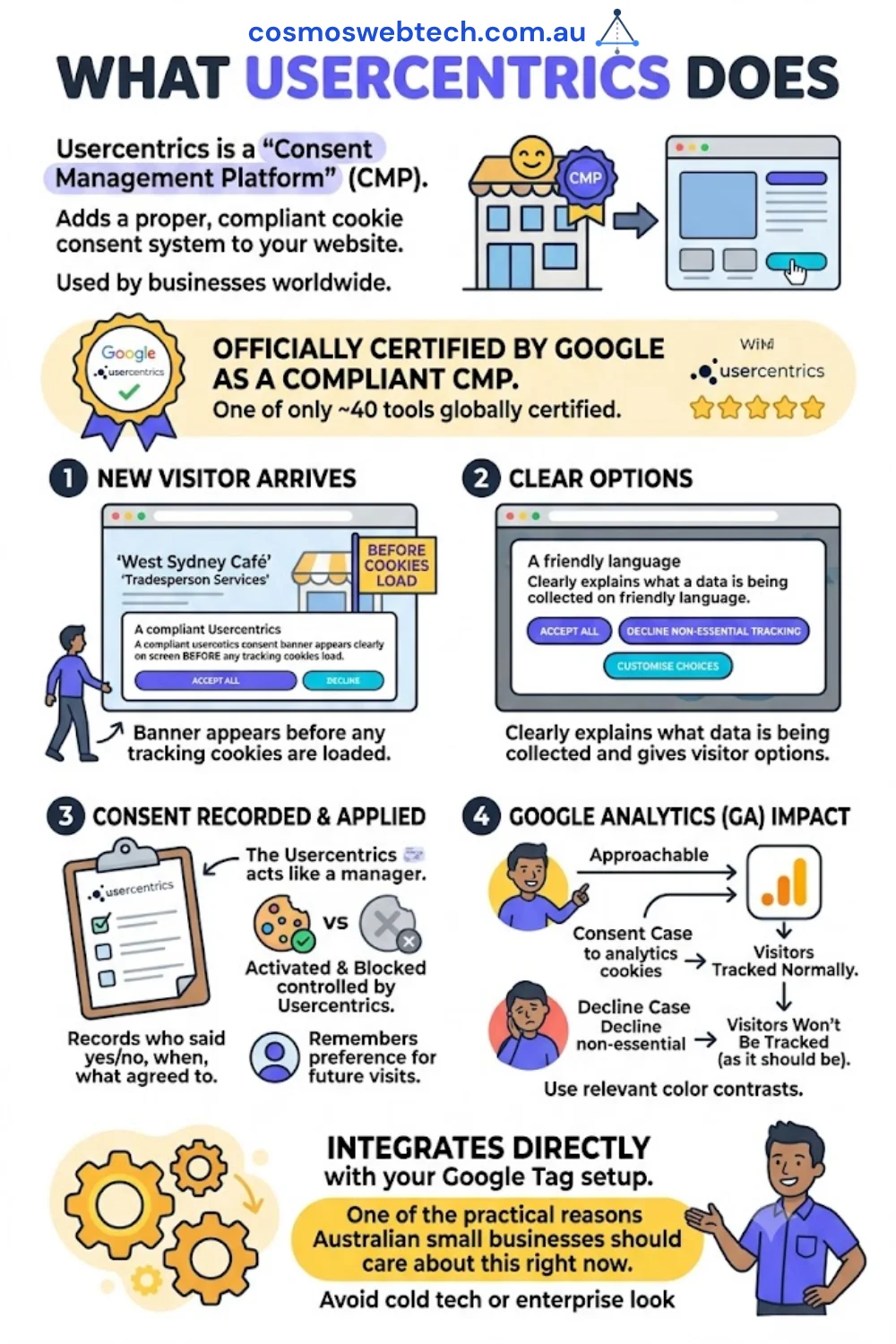
Usercentrics is a consent management platform — essentially a tool that adds a proper, compliant cookie consent system to your website. It’s used by businesses worldwide, and it’s one of only around 40 tools globally that are officially certified by Google as a compliant consent management provider.
Here’s what it looks like in practice for your website:
When a new visitor lands on your site, a banner appears before any tracking cookies are loaded. The banner clearly explains what data is being collected and gives the visitor options — they can accept everything, decline non-essential tracking, or customise their choices by category.
Once they make a choice, Usercentrics records that consent (who said yes or no, when, and what they agreed to), blocks or activates the relevant cookies accordingly, and remembers the preference for future visits.
For your Google Analytics setup, this means visitors who consent to analytics cookies will appear in your data as normal. Visitors who decline won’t be tracked — and that’s exactly as it should be.
Usercentrics also integrates directly with your Google tag setup, which brings us to one of the most practical reasons Australian small businesses should care about this right now.
How This Affects Your Google Ads
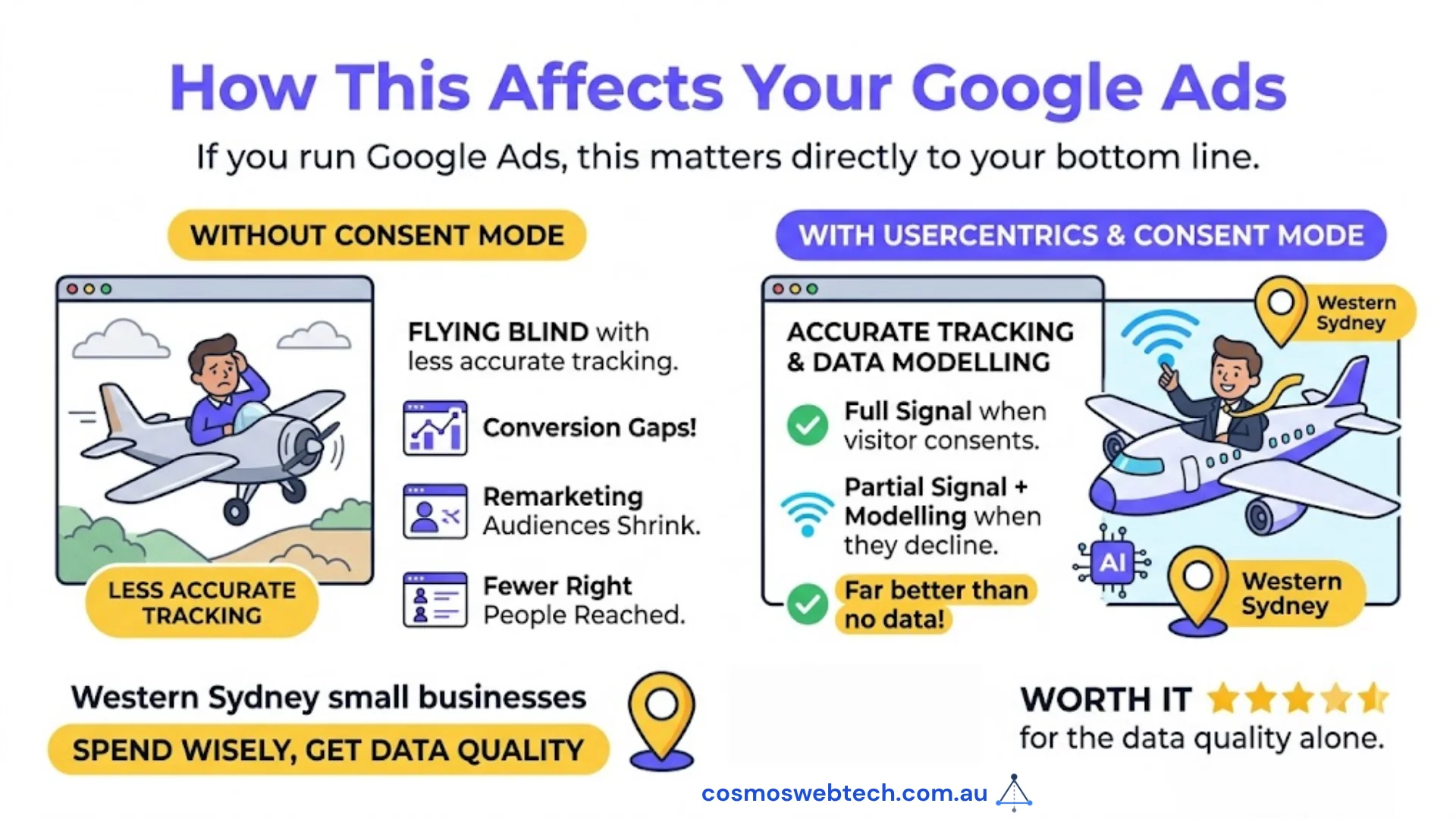
If you run Google Ads, this matters directly to your bottom line.
Google Ads uses your website visitors to do several important things: it tracks which ad clicks led to phone calls, enquiries, or purchases (conversion tracking); and it builds audience lists of your past visitors so you can run remarketing campaigns.
To do all of this accurately, Google relies on cookies. And Google now has a system called Consent Mode v2 — a way for your website to tell Google whether each visitor has consented to tracking or not.
Without Consent Mode in place, Google’s tracking becomes less accurate across the board. You see gaps in your conversion data. Your audience lists shrink. Your remarketing campaigns reach fewer of the right people. The ads still run, but you’re flying a little more blind.
With Usercentrics connected to your Google setup, Consent Mode works automatically. When a visitor consents, Google gets the full tracking signal. When they decline, Google receives a partial signal and uses modelling to fill the gaps — which is far better than getting no data at all.
For any Western Sydney small business spending money on Google Ads, having Consent Mode properly configured is worth it for the data quality alone.
How to Add Usercentrics to Your WordPress Website
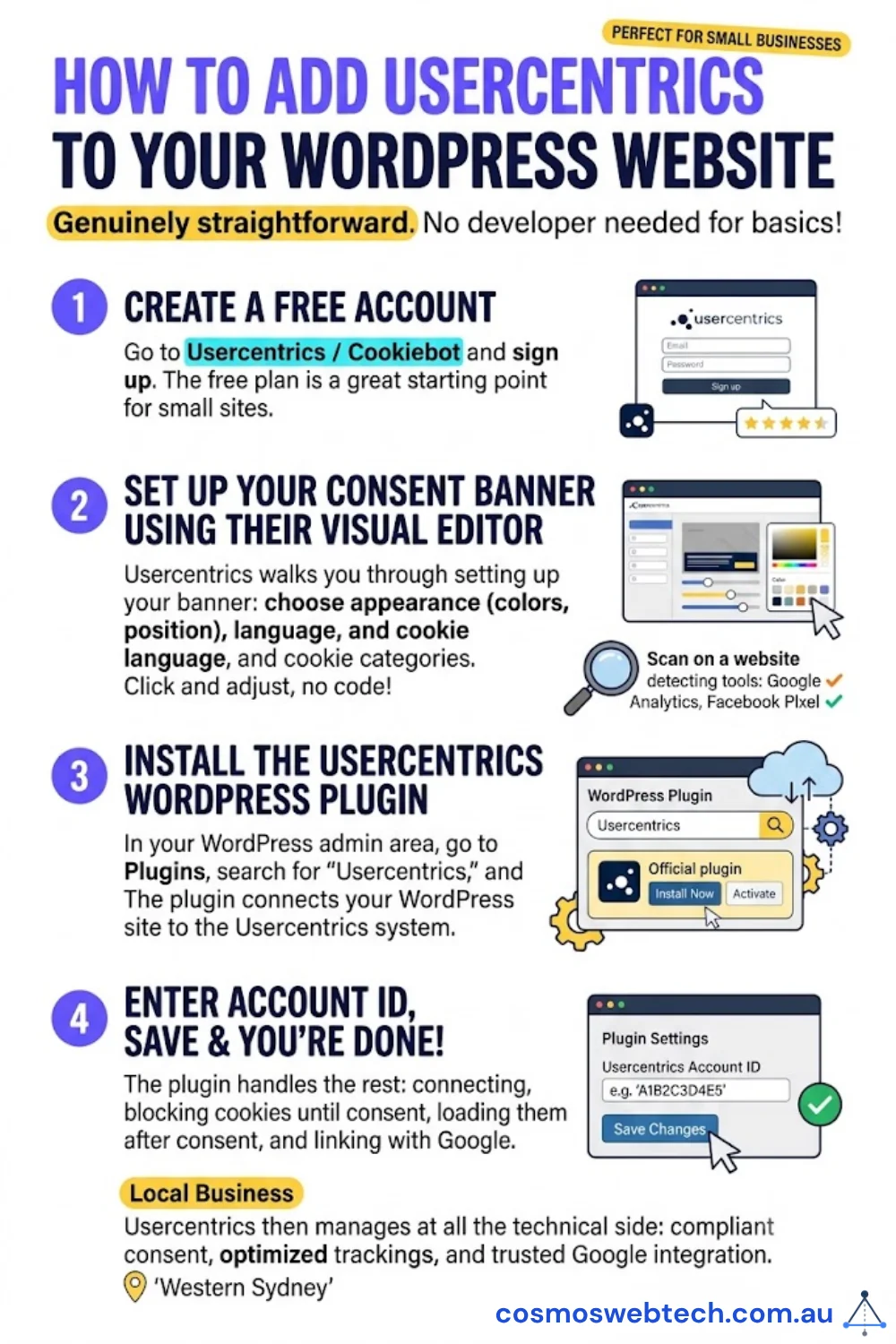
If your website runs on WordPress, adding Usercentrics is genuinely straightforward. You don’t need a developer for the basics.
Step 1: Create a free account
Go to Usercentrics / Cookiebot and sign up. The free plan covers small websites and is a perfectly reasonable starting point.
Step 2: Set up your consent banner using their visual editor
Once you’re in, Usercentrics walks you through setting up your banner. You’ll choose the appearance (colours, position on screen), the language, and which cookie categories you want to include. Their editor is visual — you’re clicking and adjusting, not writing code.
During setup, Usercentrics will scan your website and suggest the tracking technologies it detects. This is useful because you might discover tools running on your site that you’d forgotten about.
Step 3: Install the Usercentrics WordPress plugin
In your WordPress admin area, go to Plugins, search for “Usercentrics,” and install it. Enter the ID from your Usercentrics account, save — and you’re done. The plugin handles connecting your WordPress site to the Usercentrics system.
That’s genuinely the whole process for most small business websites. Usercentrics then manages all the technical side: blocking cookies until consent is given, loading them when consent is received, and connecting with Google.
Pricing: What Does Usercentrics Cost?
The free plan covers websites with up to a certain number of monthly sessions and includes the core consent management features. For many small business websites that are primarily informational, the free plan is sufficient.
Paid plans start at around AUD $12 per month and add features like more detailed consent analytics, advanced customisation, and support for higher traffic volumes.
To put that in perspective: if you’re running Google Ads and your Consent Mode isn’t set up properly, the degraded tracking quality is likely costing you more than $12 a month in wasted ad spend. The tool pays for itself.
What to Do This Week
You don’t need to overhaul your entire website. Here are three practical things you can do right now.
1. Check whether you have Google Analytics or Google Ads on your site
The easiest way is to open your website, right-click anywhere on the page, and choose “View Page Source.” Then use Ctrl+F (or Command+F on a Mac) to search for “gtag” or “UA-” or “G-.” If you see those codes, you have Google tracking running. Alternatively, ask your web developer or whoever built your site.
2. Check whether your current banner actually blocks tracking
Open your website in a private browsing window (so it treats you as a new visitor). If a cookie banner appears, don’t click anything yet. Then right-click and choose “Inspect,” go to the “Application” tab, and look under “Cookies.” If you already see Google cookies loaded before you’ve clicked anything — your banner is not blocking tracking. It’s just a notice.
If that inspection process sounds too technical, simply notice whether your current banner gives you a genuine “No” option. If it only has an “OK” or “Accept” button with no way to decline, it’s decorative rather than functional.
3. Try Usercentrics free
Head to Usercentrics / Cookiebot and start a free account. Run their website scan to see what tracking technologies are on your site. Even if you don’t set it up immediately, knowing what’s there is a useful starting point.
For a full website compliance review — including cookie consent, Privacy Act requirements, SSL, and page speed — Cosmos Web Tech offers free website audits for Western Sydney small businesses.
Cloud Geeks handles the IT compliance side for Australian businesses, including Privacy Act requirements, cybersecurity assessments, and data protection for small business IT environments.
Part of the Ganda Tech Services family, Cosmos Web Tech builds and maintains websites for Western Sydney small businesses.
Frequently Asked Questions
Will adding a cookie consent banner slow down my website?
A well-implemented consent system has minimal impact on your website’s speed. Usercentrics loads asynchronously — meaning it doesn’t hold up the rest of your page from loading. In fact, because a proper consent system blocks tracking cookies until consent is given, your page can actually load slightly faster for visitors who decline tracking, since those scripts never run at all.
What if my visitors say “no” to cookies?
That’s entirely their right, and a proper consent system handles this gracefully. Visitors who decline non-essential cookies will still be able to use your website normally — they just won’t be tracked. You’ll see a slight reduction in the data coming into Google Analytics (only consenting visitors are counted), but that data will be more accurate and trustworthy. For Google Ads, Consent Mode helps Google model the gap, so your campaign optimisation isn’t left completely in the dark.
Is Usercentrics free?
Yes, Usercentrics has a free plan that suits smaller websites. If your website receives modest traffic — which is the case for many Western Sydney small businesses — the free plan covers everything you need to get compliant. Paid plans start from around AUD $12/month for higher traffic volumes and additional features like detailed consent analytics and more customisation options.
Do I need a cookie banner if I only have a brochure website?
If your website genuinely has no analytics, no advertising pixels, no embedded YouTube videos, no social media share buttons, and no contact forms connected to third-party tools — then your cookie footprint is very small and a formal consent banner may not be strictly necessary. However, that description applies to very few websites in practice. Most “brochure” sites have at least Google Analytics or Google Tag Manager installed, which brings tracking cookies into play. If you’re not sure what’s running on your site, a free audit will tell you quickly.
What’s the difference between a cookie banner and a privacy policy?
A privacy policy is a page on your website (usually linked in the footer) that explains your overall approach to data: what you collect, why, how long you keep it, and how people can request their data be deleted. It’s a written document, and under Australian privacy law it’s a requirement for most businesses.
A cookie banner is an interactive prompt that appears when someone visits your site and asks for their consent before tracking starts. The two work together — your cookie banner should link to your privacy policy so visitors can read the full details — but they serve different purposes. Your privacy policy informs; your cookie banner obtains consent. You need both.